
Taego Secret Rooms & Error Spaces
Reference artwork marks secret-room and Error Space annotations; verify current mechanics in game.
Explore static Taego reference layers for secret rooms, vehicles, and marked loot areas. Pan, zoom, and compare the map with your current PUBG match.
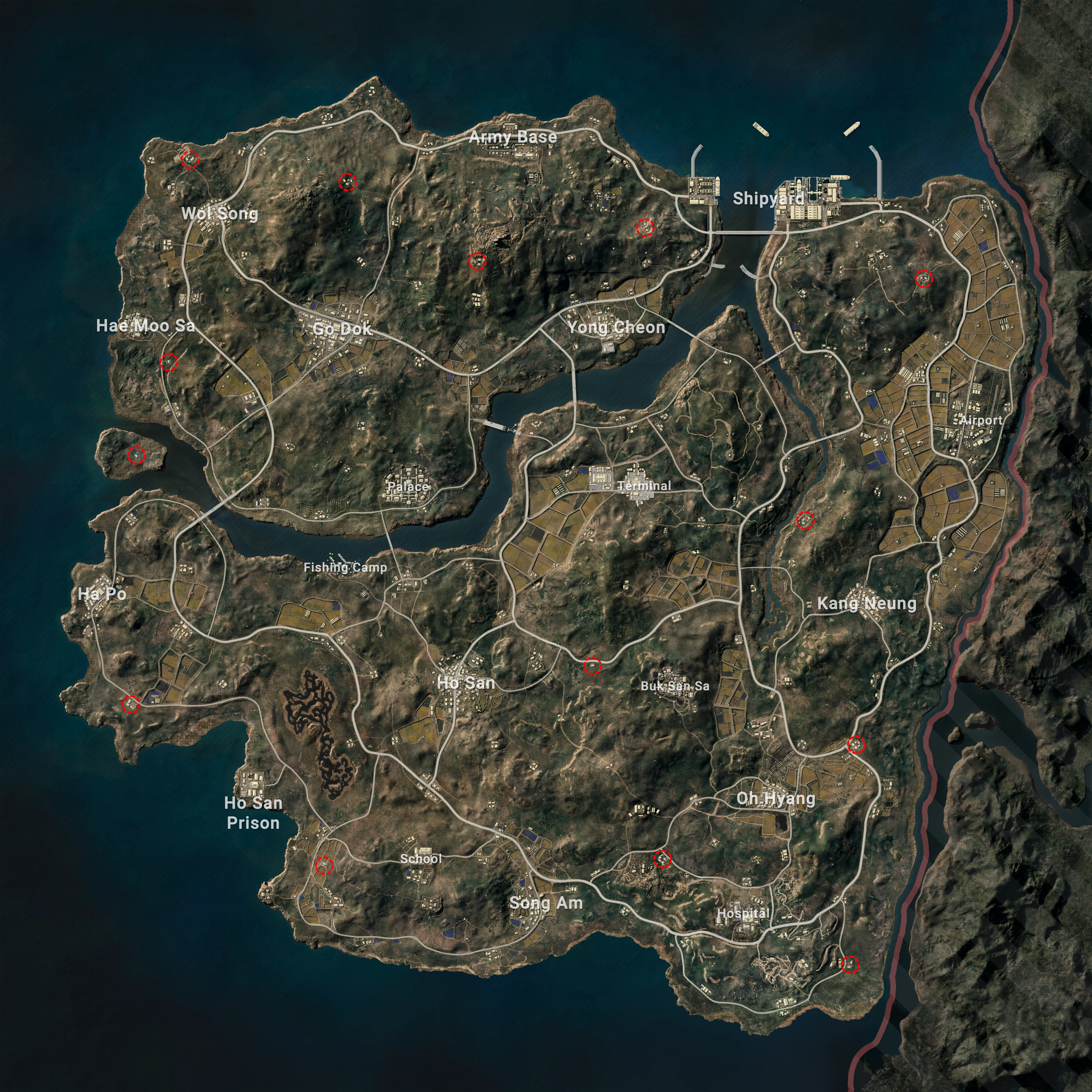
Scroll or drag to inspect static Taego reference layers.
Reference artwork marks secret-room and Error Space annotations; verify current mechanics in game.
layer query parameter.Find PUBG Erangel secret basement entrances, key locations, vehicles, and loot zones on an interactive map. Zoom, pan, and switch layers in your browser.
View static Vikendi reference layers for bear caves, Lab Camps, transit, vehicles, and marked loot areas. Pan and zoom without live match data.
Explore static Rondo reference layers for security areas, shops, vehicles, and marked loot zones. Pan, zoom, and verify locations in your current match.
Find Miramar secret room locations added in PUBG Update 41.2. Zoom the static map, compare landmarks, and learn how Secret Room Keys work.
The viewer displays pre-rendered WebP map layers. JavaScript changes the active image and applies pan, zoom, reset, and fullscreen transforms in your browser. There is no live game data, server telemetry, spawn calculation, route engine, or loot prediction behind the images.
No. It is a static reference viewer and does not connect to PUBG matches or current spawn data.
No. Treat every marker as an illustration to compare with the current map, not as a promised outcome.
Review the current PUBG patch notes and verify the location in game. The page does not display an asset revision date.
The viewer keeps pan, zoom, and active-layer state in the page. It has no account field or feature for submitting a tactical route.